Understanding Xfinity router color meanings helps you quickly identify your internet connection status and troubleshoot common network issues without needing advanced technical knowledge. Unlike traditional color symbolism, the LED colors on Xfinity routers are functional indicators designed to communicate the router’s operating condition, connection quality, firmware updates, and potential problems.
Each light color whether white, blue, green, orange, or red represents a specific system state rather than an emotional or cultural meaning. Learning what each indicator means can save time, reduce frustration, and help restore your internet connection more efficiently.
Quick Answer:
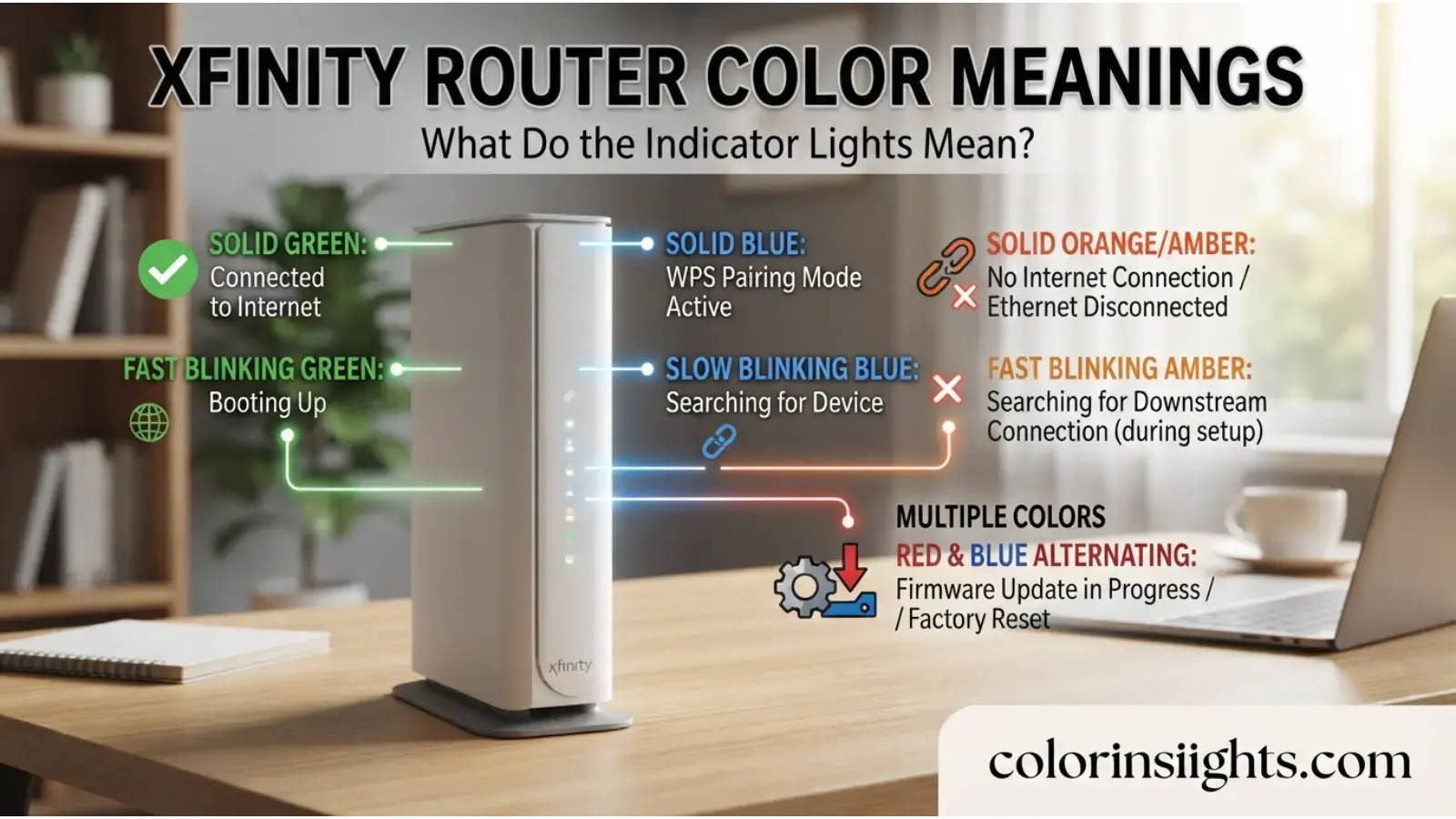
Xfinity router colors indicate the device’s operational status. Solid white usually means the router is online, flashing white indicates startup, blue often signals WPS pairing, orange or yellow shows limited connectivity, green indicates an active connection on some models, and red generally means a connection failure or hardware issue.
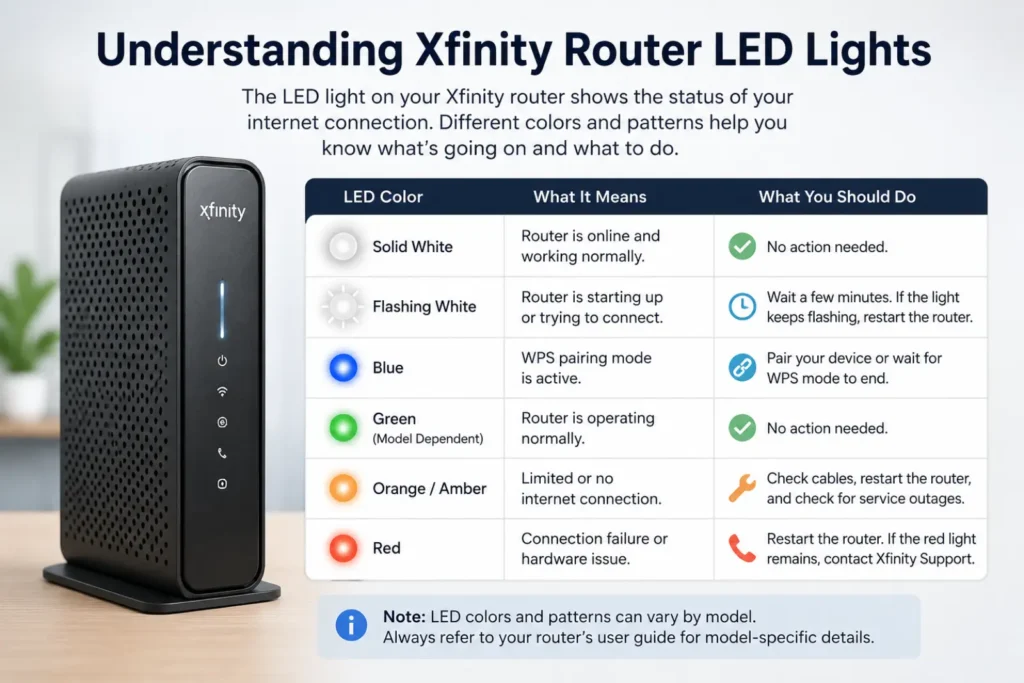
Understanding Xfinity Router LED Lights
The LED light on your Xfinity router communicates its current status. Different colors and flashing patterns can indicate that the router is starting up, connected to the internet, pairing with a device, updating its firmware, or experiencing a connection problem.
While the exact LED behaviour may vary slightly between Xfinity Gateway models, the meanings below cover the most common light colours and what you should do when you see them.
| LED Color | Common Meaning | Recommended Action |
|---|---|---|
| Solid White | Router is online and operating normally. | No action is needed. |
| Flashing White | Router is starting up, rebooting, or trying to establish an internet connection. | Wait a few minutes. If the light continues flashing, restart the router. |
| Blue | WPS pairing mode is active. | Pair your device or wait for WPS mode to end automatically. |
| Green (model dependent) | Router is operating normally or has successfully connected. | No action is needed. |
| Orange / Amber | Limited or no internet connection. | Check the cables, restart the router, and confirm there isn’t a local Xfinity outage. |
| Red | Connection failure or possible hardware issue. | Restart the router. If the red light remains, contact Xfinity Support. |
Knowing the Xfinity router color meanings helps you identify whether your gateway is working normally or signalling a connection issue. Instead of guessing what each LED indicates, you can use the color and flashing pattern to determine the router’s status and choose the appropriate troubleshooting step.
Note: LED colors and flashing patterns can differ slightly between Xfinity Gateway models. If your router behaves differently, refer to your specific model’s user guide.
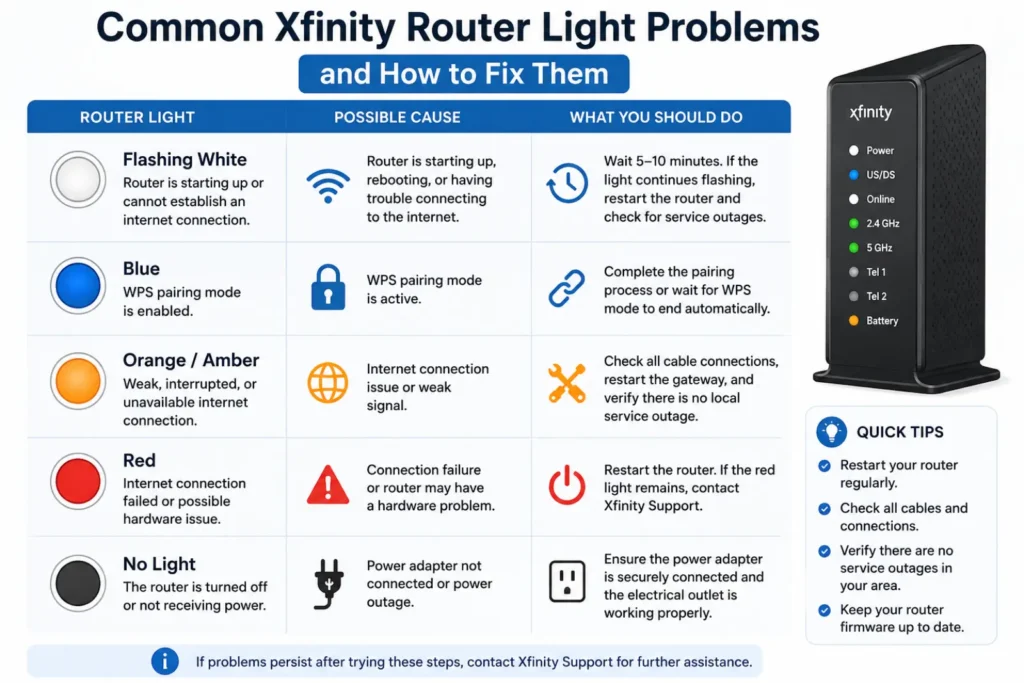
Common Xfinity Router Light Problems and How to Fix Them
Different Xfinity router light colors can help identify common connection and hardware issues. The table below explains what each light usually means and the first troubleshooting steps you can take.
| Router Light | Possible Cause | What You Should Do |
|---|---|---|
| Flashing White | Router is starting up or cannot establish an internet connection. | Wait 5–10 minutes. If the light continues flashing, restart the router and check for Xfinity service outages. |
| Blue | WPS pairing mode is enabled. | Complete the pairing process or wait for WPS mode to end automatically. |
| Orange / Amber | Weak, interrupted, or unavailable internet connection. | Check all cable connections, restart the gateway, and verify there is no local service outage. |
| Red | Internet connection failed or the gateway may have a hardware problem. | Restart the router. If the red light remains, contact Xfinity Support for further assistance. |
| No Light | The router is turned off or not receiving power. | Ensure the power adapter is securely connected and the electrical outlet is working properly. |
If restarting the router does not resolve the problem, check the Xfinity service status in your area or contact customer support for additional troubleshooting. Persistent red or flashing lights may require professional assistance or a replacement gateway.
How to Reset Your Xfinity Router
Since Xfinity router colours are engineering-based status indicators, they do not possess official spiritual meanings. However, many people enjoy interpreting colours through broader symbolic traditions.
Possible symbolic interpretations include:
- White: Purity, clarity, new beginnings, divine protection.
- Blue: Wisdom, communication, truth, spiritual awareness.
- Green: Healing, balance, renewal, personal growth.
- Orange: Transformation, creativity, motivation, change.
- Red: Strength, protection, power, life energy.
Additional symbolic associations may include:
If your Xfinity router continues to display unusual LED colours or flashing patterns after basic troubleshooting, performing a restart or factory reset may help restore normal operation.
Restart the Router
- Unplug the power cable from the router.
- Wait about 30 seconds.
- Plug the power cable back in.
- Allow the router several minutes to reconnect.
Factory Reset
If restarting does not resolve the issue:
- Locate the Reset button on the back or bottom of the router.
- Press and hold the button for about 30 seconds using a paperclip or similar tool.
- Release the button and wait for the router to restart.
A factory reset restores the router to its default settings. You may need to reconnect your devices and configure your network again after the reset.
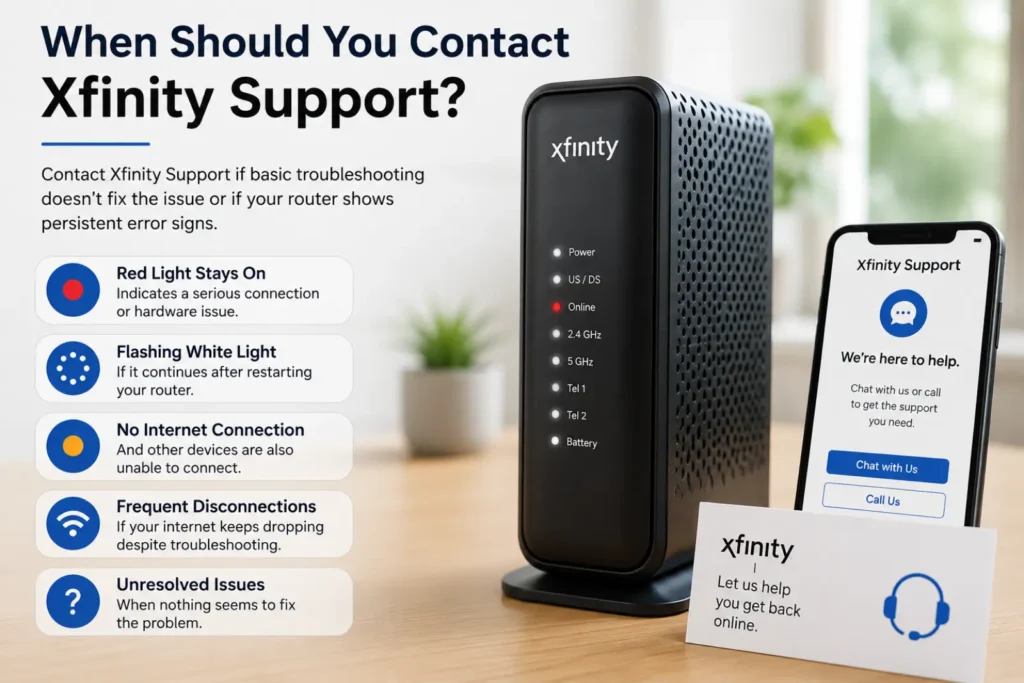
When Should You Contact Xfinity Support?
Most Xfinity router light issues can be resolved by restarting the gateway or checking for service outages. However, you should contact Xfinity Support if:
- The router displays a solid red light for an extended period.
- The white light keeps flashing after multiple restarts.
- Your internet connection does not return after checking all cables.
- The router frequently disconnects or restarts on its own.
- You suspect the gateway has a hardware fault.
Before contacting support, make a note of the LED color, whether it is solid or flashing, and any troubleshooting steps you have already tried. This information can help speed up the diagnosis.
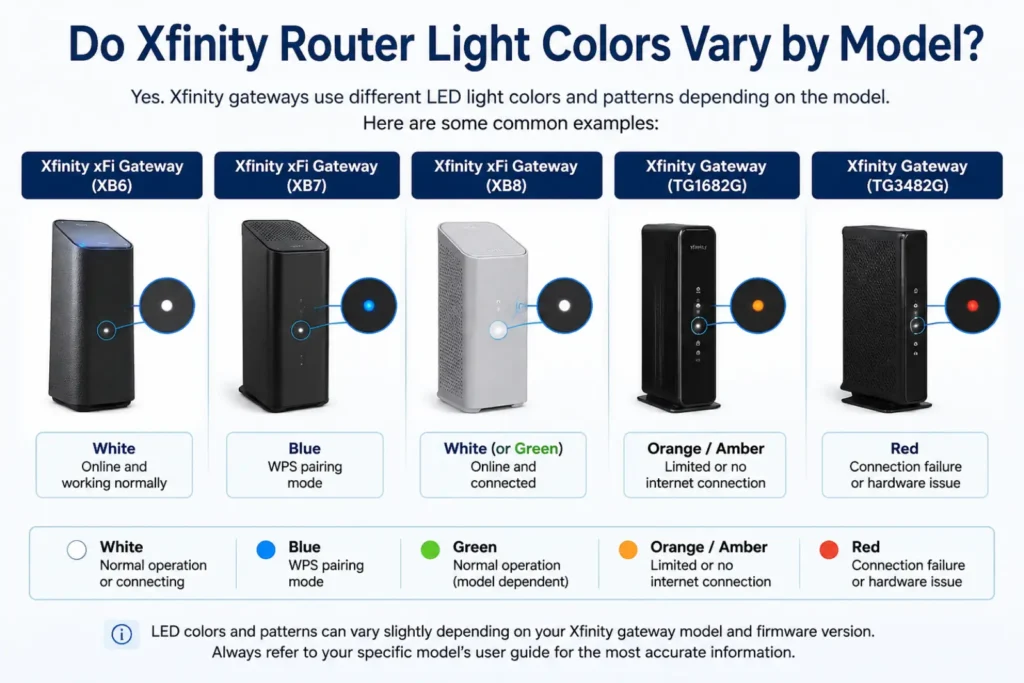
Do Xfinity Router Light Colors Vary by Model?
Yes. While many Xfinity gateways use similar LED colours to indicate connection status, the exact colours and flashing patterns can vary depending on the model and firmware version.
For example, some gateways use a green light during normal operation, while others rely primarily on white LEDs. Because of these differences, always refer to the documentation for your specific Xfinity gateway if the light behaviour does not match the descriptions in this guide.
Checking your router model before troubleshooting can help you identify the correct meaning of each LED indicator.
FAQs:
What defines Xfinity router color meaning?
It refers to the LED indicators that communicate the router’s operating status, internet connectivity, pairing mode, and potential technical issues.
What does the Xfinity router symbolize?
The colours symbolise operational conditions rather than emotional or cultural meanings.
Why are Xfinity router colors important?
They provide immediate visual information that helps users diagnose connection problems quickly.
Is the Xfinity router light a warm or cool color?
Different LEDs appear depending on the current status. White, blue, green, orange, and red each serve different purposes.
What emotions do Xfinity router colors represent?
Technically none, although users often associate white with reliability, blue with trust, green with stability, orange with caution, and red with urgency.
What does a red Xfinity router light mean?
A red light usually indicates no internet connection, service interruption, or a hardware problem requiring troubleshooting.
What colors pair well with Xfinity router design?
White, grey, black, silver, and blue complement the minimalist design used in modern networking equipment.
What does liking Xfinity router LEDs say about a person?
Enjoying clear LED indicators may reflect a preference for organised, user-friendly technology, but it does not define personality.
Why is my Xfinity router flashing white?
It is usually booting, updating firmware, or attempting to establish an internet connection.
What does a blue Xfinity router light mean?
Blue typically indicates WPS pairing mode. A solid blue light usually means pairing completed successfully.
Understanding Xfinity router color meanings makes diagnosing internet problems much easier. By recognising what each LED color represents, you can quickly determine whether your gateway is connecting normally, requires a restart, or needs assistance from Xfinity Support.
Conclusion
Understanding Xfinity router color meanings allows users to interpret their gateway’s status instantly and respond appropriately to connection changes. White generally indicates normal operation, blue supports WPS pairing, green signifies stable connectivity on certain models, orange highlights temporary network issues, and red warns of connection failures or hardware problems.
Although these colors are functional indicators rather than traditional color symbolism, they also align with familiar psychological associations that make technology easier to understand. Learning these LED meanings improves troubleshooting, reduces downtime, and helps users maintain a more reliable home internet experience.